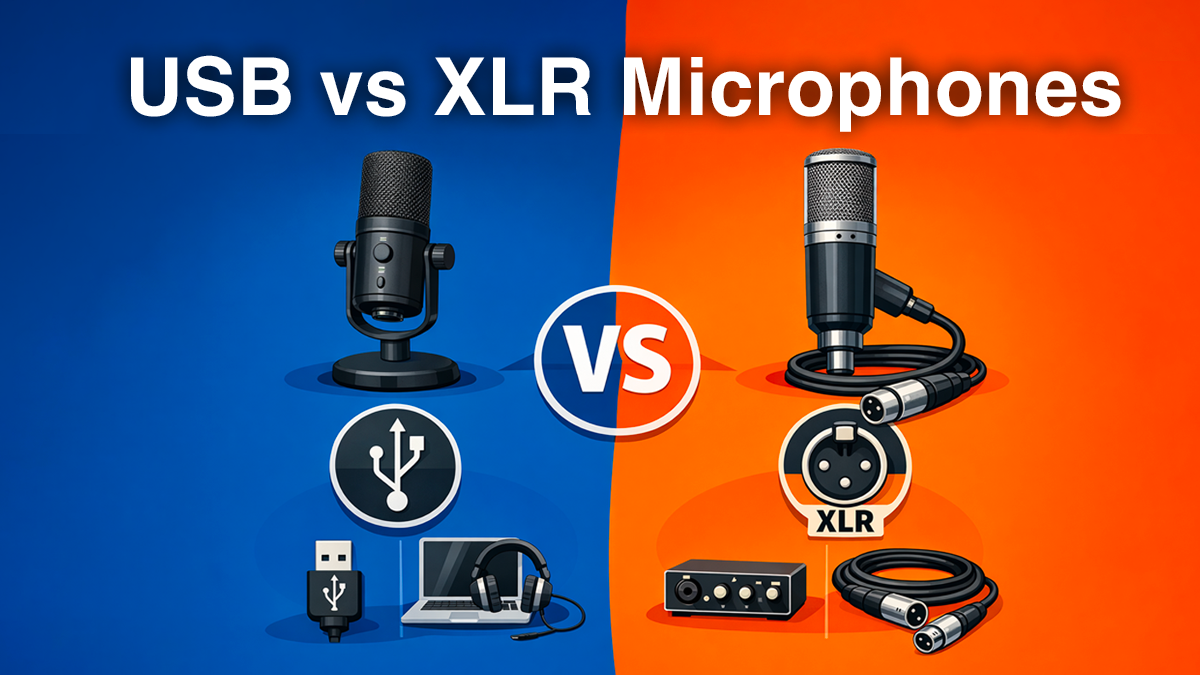
Recording your first podcast episode is a massive milestone. But before you hit “Record,” you’re faced with the most debated technical question in the industry: Should I buy a USB or an XLR microphone?
In the early days of podcasting, the answer was simple: USB was for beginners, and XLR was for pros. But in 2026, the lines have blurred. High-end USB mics now rival studio gear, and affordable XLR interfaces have made professional setups accessible to everyone.
This guide will help you navigate the noise so you can choose the setup that fits your workflow and helps your Podbean channel grow.
1. The USB Microphone
A USB microphone is essentially three devices in one: a microphone capsule, a preamp, and an analog-to-digital converter.
The Pros: Efficiency is King
Plug-and-Play Simplicity: There are no drivers to install and no extra boxes on your desk. You plug the cable into your device, select the mic in your recording software (like Podbean’s own recording app), and you’re live.
Cost-Effectiveness: You aren’t just buying a mic; you’re buying the entire audio chain. For $100–$200, you can get a world-class sound.
Mobility: For digital nomads or creators who interview guests at conferences, the USB mic is the gold standard for portability.
The Cons: The “Glass Ceiling”
Limited Growth: You can’t easily “upgrade” a USB mic. If you want a better sound later, you have to replace the whole unit.
The “Multiple Mic” Headache: Computers struggle to recognize two identical USB devices at once. If you plan to record a multi-person show in one room, USB is a logistical nightmare.
2. The XLR Microphone
XLR refers to the three-pin connector used in professional audio. These microphones don’t have built-in converters; they send an analog signal that must be processed by an Audio Interface or a Mixer.
The Pros: Unlimited Potential
The “Pro” Tone: Because XLR interfaces have dedicated power sources (Phantom Power), they can drive “Gain-hungry” mics like the Shure SM7B, giving you that deep, velvety “radio voice.”
Multi-Person Recording: If you have a 4-person panel, you simply plug four XLR mics into one interface. Each person gets their own track, making editing a breeze.
Modular Upgrades: You can upgrade your cable, your interface, or your mic independently as your budget grows.
The Cons: The Learning Curve
Complexity: You’ll need to manage “Gain staging” (ensuring your signal isn’t too quiet or clipping).
Desktop Clutter: You’ll have more cables and a bulky interface sitting on your desk.
3. Technical Deep-Dive
Feature
USB Microphone
XLR Microphone
Connection
Direct to PC/Mac/Tablet
Requires Interface or Mixer
Audio Resolution
Usually capped at 24-bit/48kHz
Up to 32-bit float / 192kHz
Longevity
Vulnerable to software/port updates
Analog tech lasts for decades
Best Use Case
Solo episodes, YouTube, Gaming
Multi-host studios, Musical podcasts
Podbean Synergy
Works perfectly with mobile app
Best for desktop “Studio” mode
4. The 2026 “Hybrid” Trend
If you’re paralyzed by indecision, the industry has solved the problem for you. Hybrid Microphones (like the Shure MV7+ or the Audio-Technica ATR2100x) feature both USB and XLR outputs.
Pro Tip: Start with the USB connection to get your show off the ground. Once you’ve built an audience on Podbean and are ready to invest in a pro mixer, you can keep the same mic and simply switch to the XLR port!
5. How to Choose Based on Your Podcast Type
The Solo “Expert” Podcast
If it’s just you sharing knowledge, don’t overcomplicate it.
Verdict:USB. A high-quality condenser like the Rode NT-USB+ will sound incredible and save you hours of setup time.
The “Roundtable” or In-Person Interview
If you’re sitting across from a co-host or guests.
Verdict:XLR. Trying to make multiple USB mics work will lead to “latency” (echoes) and software crashes. An XLR interface like the Focusrite Scarlett 2i2 is your best friend here.
The High-Energy “Remote” Show
If you record via video tools (Zoom/Riverside) but want to sound like you’re in a studio.
Verdict:Hybrid. Use the USB for the call, but keep the XLR option open for when you do live events.
Final Thoughts
At the end of the day, your listeners are there for your stories, your insights, and your personality. Whether you choose the simplicity of USB or the power of XLR, the most important thing is to hit record.
Once you’ve captured your audio, Podbean’s professional hosting tools ensure your hard work reaches millions of ears with lossless quality and deep analytics.
Ready to start?
Check out our Gear Guide for a curated list of our favorite microphones this year.
What’s your current setup? Drop a comment below—we’d love to hear what you’re using to record your latest episode!

Recording your first podcast episode is a massive milestone. But before you hit “Record,” you’re faced with the most debated technical question in the industry: Should I buy a USB or an XLR microphone?
In the early days of podcasting, the answer was simple: USB was for beginners, and XLR was for pros. But in 2026, the lines have blurred. High-end USB mics now rival studio gear, and affordable XLR interfaces have made professional setups accessible to everyone.
This guide will help you navigate the noise so you can choose the setup that fits your workflow and helps your Podbean channel grow.
1. The USB Microphone
A USB microphone is essentially three devices in one: a microphone capsule, a preamp, and an analog-to-digital converter.
The Pros: Efficiency is King
The Cons: The “Glass Ceiling”
2. The XLR Microphone
XLR refers to the three-pin connector used in professional audio. These microphones don’t have built-in converters; they send an analog signal that must be processed by an Audio Interface or a Mixer.
The Pros: Unlimited Potential
The Cons: The Learning Curve
3. Technical Deep-Dive
4. The 2026 “Hybrid” Trend
If you’re paralyzed by indecision, the industry has solved the problem for you. Hybrid Microphones (like the Shure MV7+ or the Audio-Technica ATR2100x) feature both USB and XLR outputs.
Pro Tip: Start with the USB connection to get your show off the ground. Once you’ve built an audience on Podbean and are ready to invest in a pro mixer, you can keep the same mic and simply switch to the XLR port!
5. How to Choose Based on Your Podcast Type
The Solo “Expert” Podcast
If it’s just you sharing knowledge, don’t overcomplicate it.
Verdict: USB. A high-quality condenser like the Rode NT-USB+ will sound incredible and save you hours of setup time.
The “Roundtable” or In-Person Interview
If you’re sitting across from a co-host or guests.
Verdict: XLR. Trying to make multiple USB mics work will lead to “latency” (echoes) and software crashes. An XLR interface like the Focusrite Scarlett 2i2 is your best friend here.
The High-Energy “Remote” Show
If you record via video tools (Zoom/Riverside) but want to sound like you’re in a studio.
Verdict: Hybrid. Use the USB for the call, but keep the XLR option open for when you do live events.
Final Thoughts
At the end of the day, your listeners are there for your stories, your insights, and your personality. Whether you choose the simplicity of USB or the power of XLR, the most important thing is to hit record.
Once you’ve captured your audio, Podbean’s professional hosting tools ensure your hard work reaches millions of ears with lossless quality and deep analytics.
Ready to start?
Check out our Gear Guide for a curated list of our favorite microphones this year.
What’s your current setup? Drop a comment below—we’d love to hear what you’re using to record your latest episode!
Share this: